Click to switch
Every output and input in one list. Click one and it becomes the default — including for calls, which Windows' own Sound panel quietly skips. That's the bug behind "only the game switched."
 Switchboard
Switch your speakers, headset or Bluetooth speaker from the tray. Send Discord to one device and the game to another. See what your controller's battery is doing. Without ever opening Windows Settings again.
No account, no telemetry, no runtime to install first. Windows will warn you — here's why.
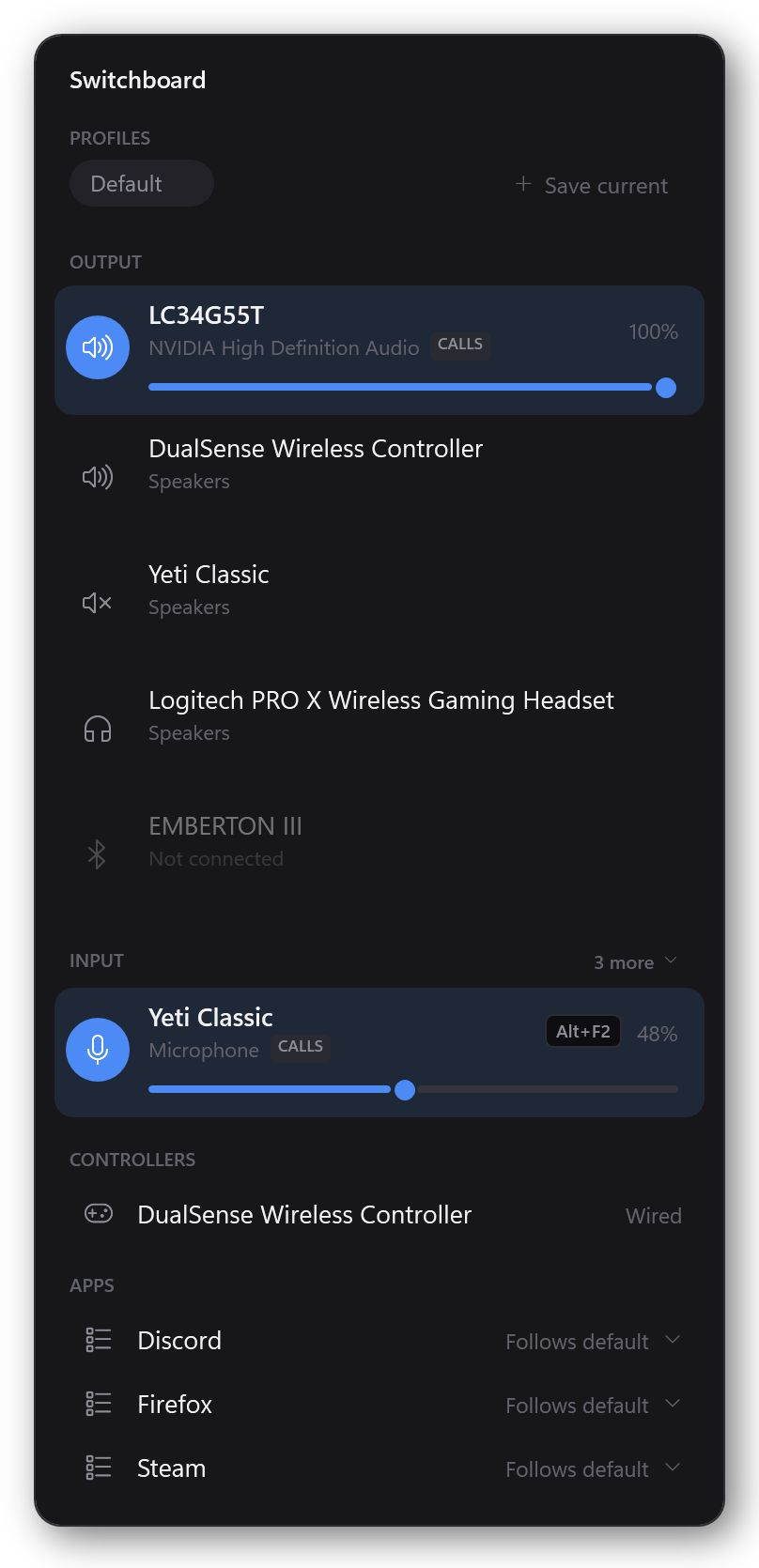
Every output and input in one list. Click one and it becomes the default — including for calls, which Windows' own Sound panel quietly skips. That's the bug behind "only the game switched."
Pin Discord to your headset and the game to your speakers. The pin sticks to the application, not the process, so it survives a restart.
A paired speaker that's on but not connected sits at the bottom of the output list. One click connects it and switches to it — one action instead of a trip through Settings and back.
DualSense, Xbox, anything Windows recognises as a gamepad. Shows the battery when Windows knows it, and turns amber before it dies mid-match.
Save the whole picture — default device, microphone, every app pin — and get back to it in one click. "Gaming", "Working", "Music".
Bind a key to a device or a profile and switch without leaving the game. Bindings live on the thing they press, so there's nothing to go hunting for.
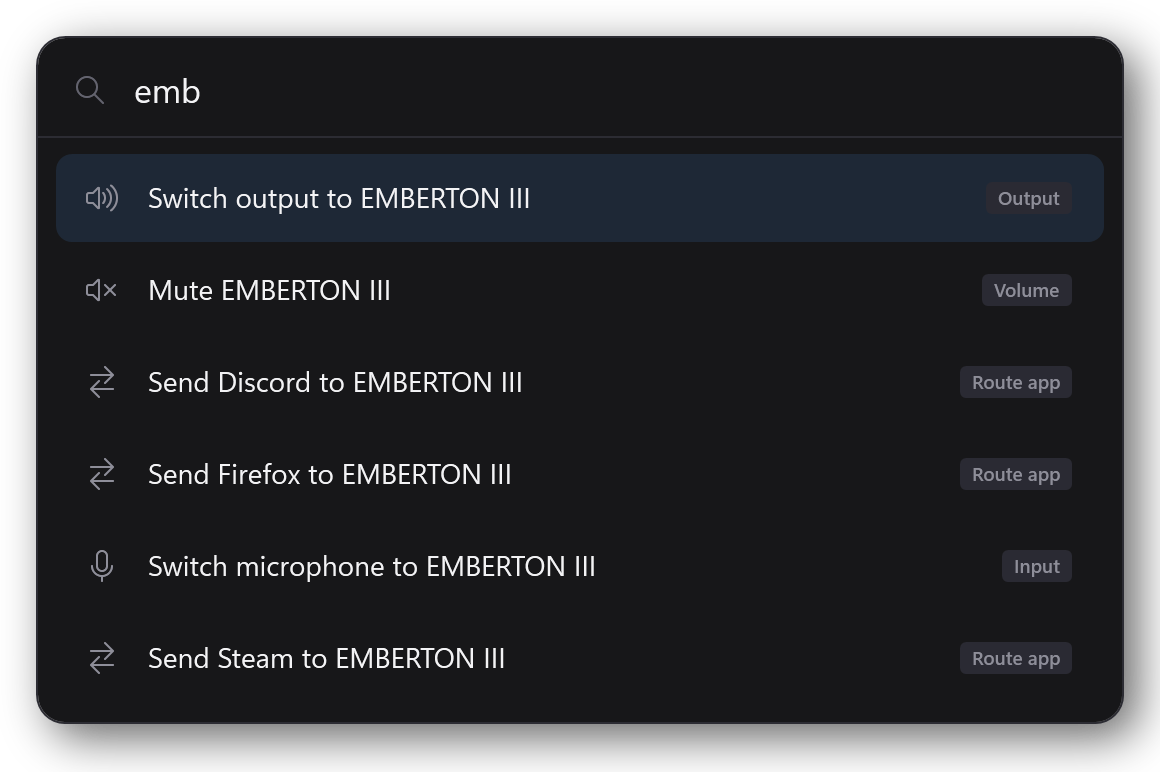
Ctrl + Alt + S opens a command palette. Start typing a device name and every useful verb for it is there — switch to it, mute it, send an app to it.
The whole reason this exists. Not a menu you have to open to find out what's going on — a window that already says.
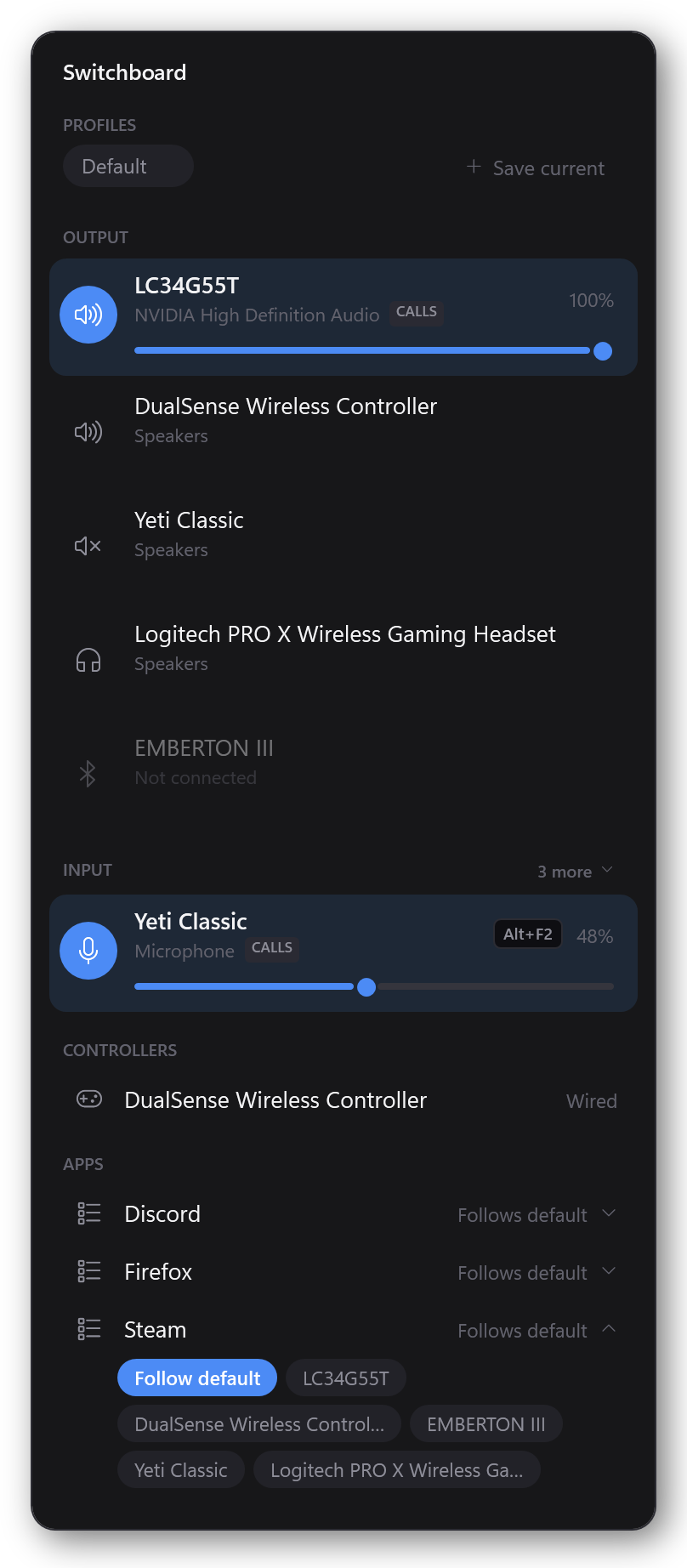
One page per feature, each with a picture of the thing you're meant to click.
Install it, get past the Windows warning, find the tray icon.
Change the default output or microphone, and set volume per device.
Discord in your headset, the game on your speakers.
Connect and switch in one click, without Settings.
Store the whole setup and restore it in one click.
Switch devices from inside a game.
Ctrl+Alt+S, then type what you want.
See what your gamepad has left before it dies.
Yes, and you should still be careful about downloads that say that. The warning means the installer isn't signed with a code-signing certificate, which costs a few hundred dollars a year — this is free software and doesn't have one yet.
To install anyway: click More info, then Run anyway.
If you'd rather not take my word for it, don't. Two things you can check yourself:
72CBFCC00D024F2DDF876CF13221BA513CAA673EB845D9DFC2505404BBF3EF68
— run Get-FileHash .\Switchboard-1.0.0-setup.exe in PowerShell and
compare. If it differs, something tampered with the download and you should not
run it.
One person. I'm Ahmed — a software engineer, and Switchboard exists because I got tired of opening the Sound panel four times an evening. My GitHub profile is the easiest way to see that there's a real developer behind it rather than an anonymous download.
Switchboard's own source isn't published, so you won't find it there. That's a deliberate choice and it does cost you something: it's one fewer way to check what the program does. Verifying the SHA-256 above, and the fact that my name and face are attached to this, are what I can offer instead. You can also email me; I answer.
No. It installs into your own user folder and never asks for elevation. Everything it changes — your default device, your app pins, whether it starts at sign-in — is a per-user setting.
No. It's built directly on Windows' audio, Bluetooth and HID APIs, so there's nothing to port — it would be a different application that happens to share a name.
No, and not for lack of trying. A web page isn't allowed to enumerate your audio devices, change the system default, see other applications' audio, touch a Bluetooth radio or read a gamepad's battery. Every single thing Switchboard does is something the browser specifically forbids.
They solved the hard Windows plumbing first and deserve the credit. Switchboard is a bet that the remaining problem is the interface: one window that shows audio devices, Bluetooth and controllers together, so "switch to my speaker" is one click whether that speaker is plugged in, paired, or switched off in the other room.
There's a full comparison of all three, including the cases where one of the others is the better answer — both are open source and more mature than this, and if you want a per-app volume mixer, EarTrumpet already is one.
It makes no network connections at all. There's no analytics, no update check and no
account. The only files it writes are your profiles and hotkeys, in
%APPDATA%\Switchboard.
Settings → Apps → Installed apps → Switchboard → Uninstall. Your profiles and hotkeys
are deliberately left behind in case you reinstall; delete
%APPDATA%\Switchboard if you want them gone too.
No licence key, no pro tier, no nag screen. If it saved you a trip to the Sound panel today and you want to say thanks, there's a tip jar.
Buy me a coffee